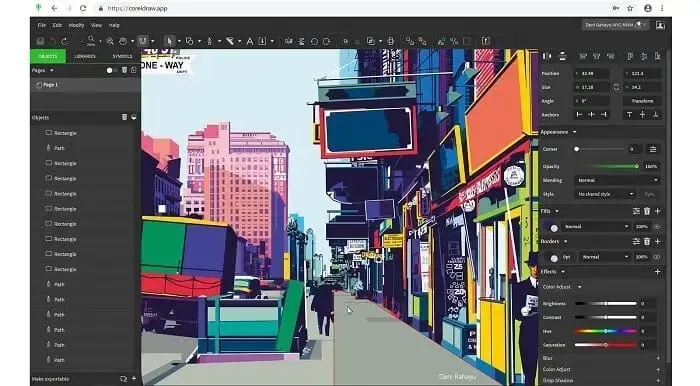
CorelDRAW Overview
CorelDRAW is a professional vector illustration and page layout application, now in its 2026.1.0 release for Mac. It covers vector drawing, multi-page layout, typography, and color management in one app, alongside the built-in Corel PowerTRACE engine for converting bitmap images into clean vector artwork. The Mac version requires macOS 13 or later, a multicore Intel or Apple M1 processor, and an OpenCL 1.2-capable graphics card with at least 3GB of VRAM. It's priced at $859, available as a one-time purchase, subscription, or through in-app purchases depending on how you choose to license it. An internet connection is required to install and activate the software.
Why Choose CorelDRAW for Mac?
CorelDRAW bundles vector illustration, page layout, and typography into one app, rather than splitting those jobs across separate tools. Its Corel PowerTRACE engine handles bitmap-to-vector conversion directly, and its style sets let you apply consistent formatting across an entire multi-page document at once, which matters for brochures, newsletters, or longer print projects.
There's a Mac-specific detail worth checking before you install: CorelDRAW doesn't support case-sensitive file systems. If your Mac's drive is formatted as case-sensitive APFS, which some users choose during setup, CorelDRAW won't run correctly on it. It's also worth knowing that an internet connection is required just to install and activate the software, and again for some of its online features and included content, so it isn't a fully offline install-and-forget application.
Key Features
- Vector illustration tools for turning basic shapes into detailed artwork
- Page layout tools for brochures, newsletters, and multi-page documents
- Typography tools covering font, size, leading, kerning, and text effects
- Color and transparency tools, including gradients, patterns, and mesh fills
- Style sets for applying consistent formatting across entire documents
- Corel PowerTRACE engine for converting bitmap images into vector artwork
- Non-destructive editing tools, including Block Shadow and Symmetry Drawing mode
- Web graphics tools and presets for online content
- Professional color management for consistent output across print and media
- Wide file compatibility, including AI, PSD, PDF, SVG, DWG, DXF, EPS, and TIFF
What's New in 2026.1.0 Version
CorelDRAW 2026.1.0 is a maintenance release focused on reliability. Recent changes include:
- Improved product stability across the application
- General performance improvements throughout CorelDRAW
- Since this update is primarily a stability and performance pass, most of CorelDRAW's core value still comes from its established toolset: vector illustration, PowerTRACE, and multi-page layout tools that have been refined across earlier versions.
Supported macOS Versions
CorelDRAW 2026.1.0 requires macOS 13 or later, along with a multicore Intel processor or an Apple M1 chip. It also needs an OpenCL 1.2-enabled graphics card with at least 3GB of VRAM, 4GB of RAM (8GB or more recommended), and 4GB of free disk space, ideally on an SSD. A minimum screen resolution of 1280x800 is required, with 1920x1080 recommended for comfortable use.
How to Install CorelDRAW on macOS?
Setting up CorelDRAW on your Mac takes a few steps, along with an internet connection.
- Download the latest version of CorelDRAW for Mac.
- Open the downloaded installer file.
- Follow the on-screen instructions to complete installation.
- Launch CorelDRAW from your Applications folder.
- Connect to the internet to activate your license before first use.
- Once activated, you can create a new document and start working right away.
How to Use CorelDRAW?
- Open CorelDRAW and create a new document or open an existing project.
- Use the vector tools to draw shapes, paths, and illustrations.
- Apply typography, color, and transparency settings to your design.
- Use style sets to keep formatting consistent across multi-page documents.
- Use PowerTRACE if you need to convert a bitmap image into vector artwork.
- Export your finished design in your preferred file format.
Final Verdict
CorelDRAW brings a long-established vector illustration and layout toolset to Mac, with PowerTRACE and style sets standing out as genuinely useful additions beyond basic drawing tools. Its price and internet activation requirement are worth weighing against newer Mac-native alternatives, and its lack of case-sensitive file system support is a real detail to check before installing. For designers already comfortable in Corel's ecosystem, or handling files built in CorelDRAW elsewhere, it remains a capable, professional-grade option on Mac.
Download CorelDRAW for Mac Latest Version
Ready to start illustrating, laying out, and designing on your Mac?
Download CorelDRAW for Mac to access vector illustration, page layout, typography, and bitmap tracing tools in one professional application. Whether you're designing a brochure, building illustrations from scratch, or converting bitmap artwork into clean vectors, CorelDRAW gives you an established, full-featured toolset built for serious design work.